Legendary free image editing tool
GIMP is a completely free image editing program with a wide variety of professional features. Designed for desktop use, GIMP is the program you are looking for to edit photos and create images or illustrations without spending a single penny.
Top Recommended Alternative

Thanks to this graphic and design software, you can create icons, images, design elements, illustrations, and more. The program was initially created for Linux, but over time versions compatible with Windows and even Mac have been released. Its features are very similar to those offered by programs like InPixio Free Photo Editor or the famous Adobe Photoshop.
Work with all types of image files
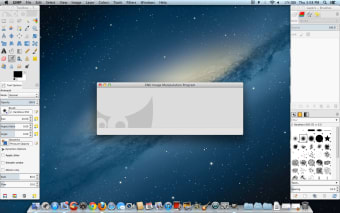
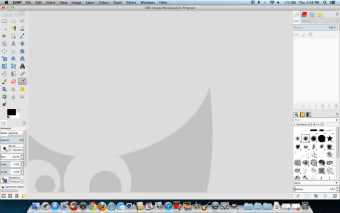
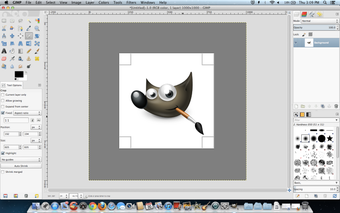
GNU Image Manipulation Program, or GIMP, is a free and open-source image editor with features that rival commercial photo editing tools. After a long journey, it now has a very user-friendly interface and a wide variety of editing functions. When you start using the software for the first time, you will see that its interface is very clean and simple. In addition to being very intuitive, the program also offers improved performance compared to previous versions.
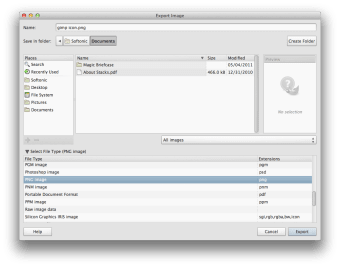
The main window of the program is divided into three parts: one section is reserved for editing and the other two contain different toolboxes, menus, and channels. Moreover, the program is designed to work easily with different file formats. It doesn’t matter if you import a file in RAW, JPEG, or PSD formats. The program will automatically detect it and you can continue working. However, if you intend to use the software along with Photoshop, you should keep in mind that the latter is not compatible with GIMP or XCF files.
What’s new?
In the latest version of GIMP, users can expect a series of new features and improvements designed to enhance their image editing experience. One of the most notable changes is the support for ASE and ACB palettes. This additional compatibility with Adobe Swatch Exchange (ASE) and Adobe Color Book (ACB) palette formats simplifies the process of exchanging palettes coming from other software, increasing the editing software’s versatility. Another exciting addition is the FG to Transparent (Hardedge) gradient.
Such a feature produces a gradient with hard-edge transitions, from the foreground color to transparency. It also allows for quick pattern generation with the “Repeat” button, alternating repetitive colored shapes with full transparency over a background. Furthermore, the software has also introduced non-square ratio support for GIFs. If an image contains the PixelAspectRatio header metadata, the software will load it by setting different resolutions per dimension, rendering the image correctly. Just ensure that the “Dot for Dot” option in the View menu is unchecked to see the image at its expected ratio.
Other enhancements include improved formatting behavior when selecting and changing text on the canvas, better feedback when hovering lock buttons, and a new “Table of Contents” link in the User Manual submenu under Help. Notably, developers have also attended to four vulnerabilities reported by the Zero Day Initiative in the code for DDS, PSD, and PSP formats, which were immediately fixed. Some vulnerabilities recently reported in binary packages’ dependencies were also addressed.
In preparation for version 3.2
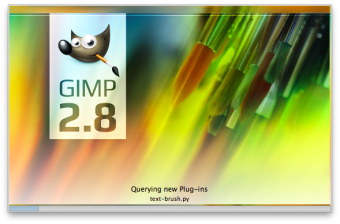
Despite being released more than 25 years ago, GIMP’s development shows no signs of slowing down anytime soon, as it prepares for its highly anticipated version 3.2 release, part of its long-term roadmap. The upcoming release will be headlined by a new splash screen, inspired by the Orion Nebula at infrared wavelengths, and made by an actual professional astronomer who uses GIMP for his workflow.
Link and Vector Layering have received important bug fixes and improvements. The former’s GLib library has been addressed, so it should work properly on Windows systems now. Meanwhile, the Rasterize and Revert Rasterize functions have gotten some UI changes to make them clearer and easier to understand. The Text Editor gets a similar treatment and is more intuitive to work with and modify on the fly.
The Swap Tool Shortcut has been brought back to make it easier to switch between two tools, and there’s now the Paint Select Tool that will allow you to work on a specific part of the canvas without affecting others. Other notable additions are additional plugins to support more image formats, improved start-up times, and general UIchanges for improved navigation and overall user experience.
Versatile and open-source program
With the help of this open-source program, you can carry out all kinds of projects, such as photo retouching, image creation, and composition. The program includes a full-screen mode that allows you to preview the images at any point during editing.
Furthermore, since GIMP is open-source software, it is easy to expand. You can use a variety of extensions and plugins to customize the program according to your needs. In fact, when you download the program, you will find many pre-installed plugins to offer a better experience to users. The program also has an active community that has developed a multitude of plugins that can be very useful to you.